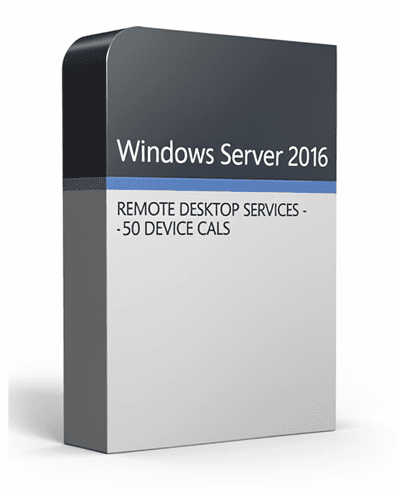
WINDOWS SERVER 2016 REMOTE DESKTOP SERVICES - 50 DEVICE CALS CERTIFICATE
Windows Server 2016 Remote Desktop Services (RDS) – 50 Device CALs provides secure, centralized remote access for businesses. It enables multiple users to connect to virtual desktops and applications from shared devices with enterprise-grade performance, control, and security.
Important Information
By purchasing Windows Server 2016 Remote Desktop Services (RDS) – 50 Device CALs, you will receive a license that can be activated directly on the your account.
This license enables Remote Desktop access for up to 50 devices. Please ensure your email address is correct, as your activation key and setup instructions will be delivered instantly via email.
Note: A valid Windows Server 2016 license is required. This product provides Remote Desktop access rights and does not activate or install Windows Server itself.
Windows Server 2016 Remote Desktop Services – Overview
Windows Server 2016 Remote Desktop Services (RDS) is a secure, flexible, and scalable solution for enabling remote desktop access and virtual application delivery across an organization.
It allows users to connect to Windows desktops, business applications, and files from shared devices while IT administrators retain centralized management, access control, and licensing compliance.
With RDS, companies can empower remote workers, streamline IT management, and maintain enterprise-level security standards for connected environments.
Simplify Remote Work with Centralized Management
Windows Server 2016 RDS delivers a complete remote access infrastructure that enhances productivity and control.
Key benefits include:
- • Centralized management of virtual desktops and sessions using Remote Desktop Session Host (RDSH) and Virtual Desktop Infrastructure (VDI)
- • Secure connections with SSL encryption and Network Level Authentication (NLA)
- • Optimized performance and resource usage through Express Updates and session monitoring
- • Scalable deployment supporting on-premises and hybrid configurations
- • Seamless user experience across Windows, macOS, Linux, and mobile devices
Key Features of Windows Server 2016 RDS
Seamless Remote Access:
Access desktops and applications hosted on Windows Server from virtually any authorized device.
Simplified IT Management:
Manage and assign licenses centrally through the built-in Remote Desktop Licensing Server.
Enterprise Security:
Protect connections with Network Level Authentication (NLA), SSL encryption, and built-in Windows Defender tools.
Scalability:
Add or remove users and devices easily to meet your organization's changing requirements.
Optimized Maintenance:
Use Express Updates for faster, more reliable patching and reduced downtime.
Licensing Information
Each user or device connecting to a Remote Desktop Session Host (RDSH) requires the following:
- A valid Windows Server 2016 license
- A Windows Server 2016 CAL (Per User or Per Device)
- A Windows Server 2016 RDS CAL (Per User or Per Device)
This product provides 50 Device CALs, which license 50 specific devices to connect to your Windows Server 2016 environment for Remote Desktop access.
User CALs vs. Device CALs
User CAL:
Licenses one user to access Windows Server sessions from multiple devices such as desktop, laptop, or tablet. Ideal for employees who use several devices.
Device CAL:
Licenses one specific device to access Windows Server sessions, regardless of who uses it. Best for shared workstations, labs, schools, or office terminals.
What You'll Receive
When purchasing from KeyHubOnline, you get:
- • 1 Windows Server 2016 RDS 50 Device CAL Activation Key
- • download and setup instructions
- • Digital invoice and license documentation
- • Step-by-step installation and activation guide
- • Free technical support for installation or activation assistance
Why Choose Windows Server 2016 RDS from KeyHubOnline
Windows Server 2016 Remote Desktop Services – 50 Device CALs combines security, performance, and ease of management in one reliable licensing package.
Benefits include:
- • software with guaranteed authenticity
- • Fast Delivery — start using your product immediately
- • Step by step validation options with full buyer protection
- • Valid license — no renewal or subscription fees
- • Expert customer support and guidance for business deployments
System Requirements
- Server Software: Windows Server 2016 Standard or Datacenter
- Licensing Mode: Per User or Per Device
- Network: Internet or LAN connection required for activation
- Clients: Compatible with RDP-enabled devices on Windows, macOS, Linux, iOS, and Android
Business & Volume Licensing
For large-scale deployments or reseller opportunities, contact support@keyhubonline.com to request bulk pricing and enterprise licensing options.
Key Features & Benefits
Seamless Remote Access
Provide secure, reliable access to virtual desktops and applications from shared devices or workstations.
Centralized License Management
Administer and monitor all RDS CALs through the Windows Remote Desktop Licensing Server for complete control.
Enterprise-Grade Protection
Secure all sessions using SSL encryption, Network Level Authentication, and advanced Windows Defender protection.
Compliance and Control
Ensure your organization meets Microsoft's licensing requirements while maintaining centralized administrative oversight.
Optimized Performance
Reduce downtime and accelerate maintenance with Express Updates and improved session stability.
Frequently Asked Questions
What is a Device CAL?
A Device CAL licenses a single device to access Remote Desktop sessions on Windows Server 2016, regardless of the number of users sharing that device.
Do I also need a Windows Server CAL?
Yes. Each user or device requires both a standard Windows Server CAL and an RDS CAL for full remote desktop functionality.
Can I mix User CALs and Device CALs?
Yes. You can use a combination of User and Device CALs depending on your organization's usage model and licensing strategy.
Is this a Valid license?
Yes. This license is perpetual, meaning it's a one-time purchase with no expiration or renewal fees.
How do I activate my CALs?
Activation is handled through the Windows Server Licensing Manager. Once installed, CALs are automatically assigned to clients as they connect.